A free, cloud-based optical design tool - drag and drop lenses, mirrors, and beam splitters in an intuitive sandbox. Watch the physics unfold instantly with real-time ray tracing and polarization.
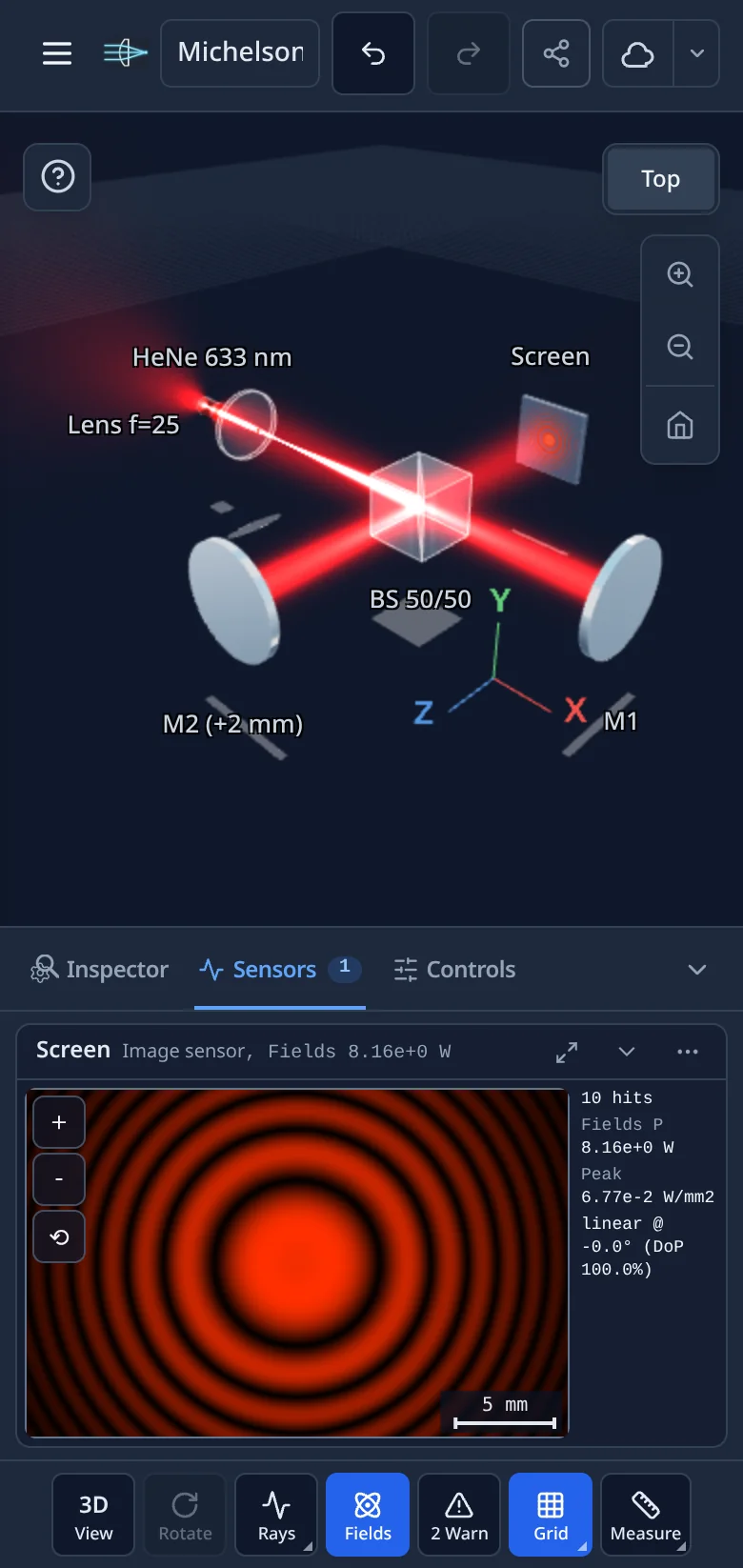
Move a mirror. Watch the fringes follow.
Fields turns the interferometers you sketch into live fringes on a sensor, with power and peak-intensity readouts, in the browser and on a phone.
- Gaussian beams
- Diffraction
- Interference fringes
An approximate model for teaching and concept work, not a full wave-optics solver.
Designing optics shouldn't feel like coding.
OpticSketcher gives you a hands-on, visual workspace where ideas come together as fast as you can think them. Built for engineers, students, and anyone curious about light.
Drag, drop, done.
Build any optical setup by dragging lenses, mirrors, prisms and beam splitters straight onto the canvas. Snap-to-grid keeps everything aligned, with no formulas or setup files.
See the light, instantly.
Every move you make is traced in real time. Move a lens, the rays follow. Rotate a prism, watch the spectrum split. Polarization, reflections, and refractions, all live.
Nothing to install.
OpticSketcher runs entirely in your browser. Open a sketch on any device, desktop, tablet, or phone, and pick up exactly where you left off.
Made for everyone who works with light.
An optical sketch tool for anyone who needs to draw, understand, or explain an optical setup - from lab benches to lecture halls.
Engineers & photonics teams
Quickly communicate optical layouts, experimental setups, and early concepts in meetings, presentations, and technical discussions.
For engineersEducators
Create interactive optical demonstrations and show how light responds when components or parameters change.
For educationStudents
Explore optical systems directly and build intuition through immediate visual feedback.
For educationResearchers
Create clear optical setup sketches for presentations, proposals, and technical communication.
The physicsSee your design in 2D, 3D, anywhere.
Switch perspectives instantly. Sketch on your desktop, review on your phone, the workspace follows you.
Sketch in pure 2D
Lay out your optical setup on a clean grid. Lenses, beamsplitters, prisms and rays go exactly where you want them, with snap-to-grid precision and instant ray tracing.
Step into 3D
The same scene, fully spatial. Walk around your design, inspect ray paths from any angle, and verify that the geometry behaves the way you expect, in real time.
Take it anywhere
A fully responsive workspace that runs in your browser, on desktop, tablet, or phone. Open a sketch on the bus, tweak a lens during a meeting, share it instantly.
Start from a classic optical system.
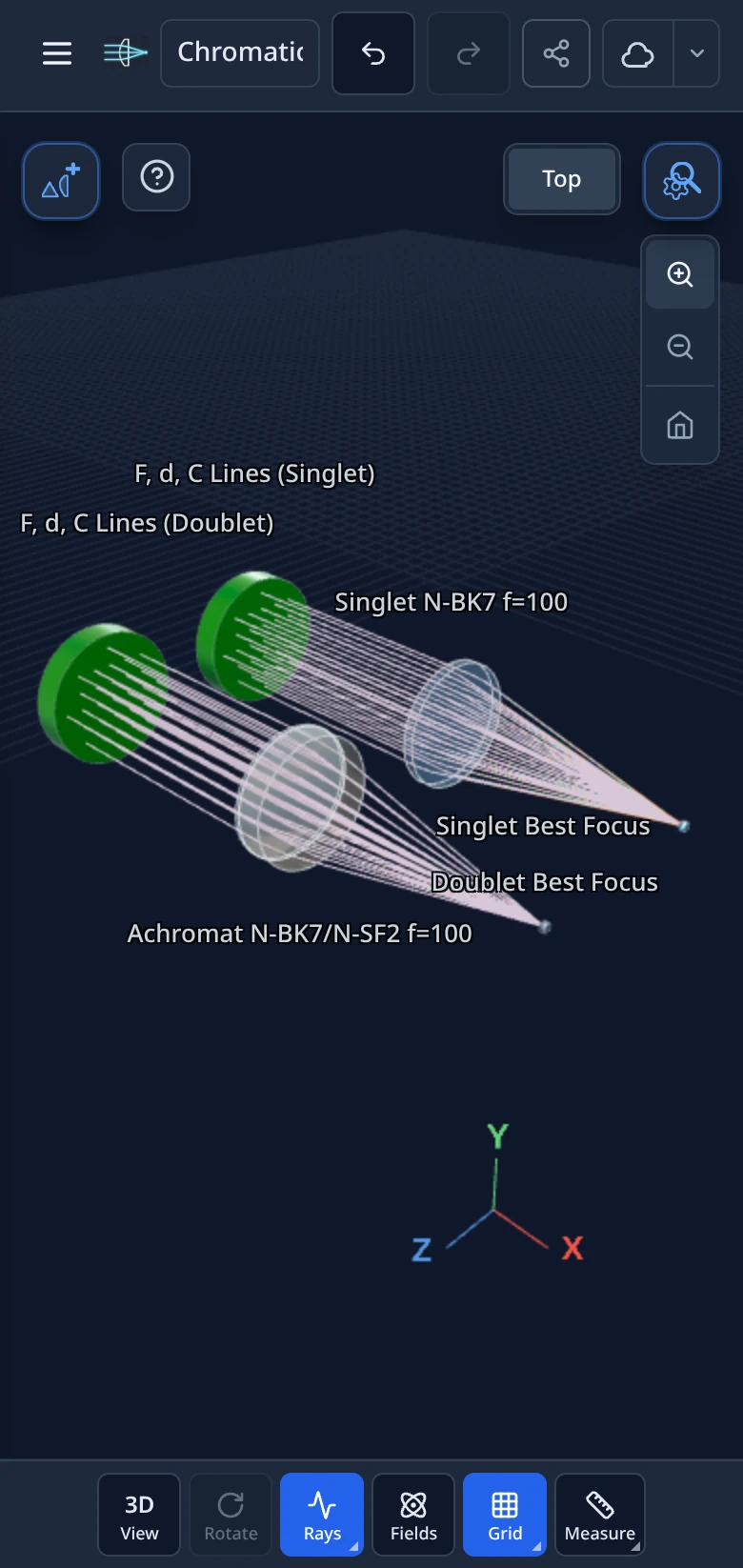
Classic telescopes, photographic lenses and eyepieces, plus tutorials on spectrometers, chromatic aberration and interferometers. Open any of them in the workspace and edit every element.
More than a drawing tool.
Every sketch is a live optics simulation. OpticSketcher traces rays through your setup in real time - so your optical diagrams don't just look right, they behave right.
Sketch → Explore → Export or Share
From a blank canvas to a presentation-ready optical setup diagram - one continuous workflow, useful for technical documents, education, and communicating optical ideas.
Sketch
Drag lenses, mirrors, prisms, beamsplitters, and light sources onto the canvas. Your optical system sketch takes shape in seconds - no CAD, no code.
Explore
Move a component and watch the ray tracing update live. Change wavelengths, rotate polarizers, tilt mirrors - build understanding through immediate feedback.
Export or Share
Export crisp SVG or PNG optical diagrams for slides, papers, and proposals - or share a live link so others can open and explore your setup directly.